Widening the bottleneck of Pratt's DX Center Consultancy with 3 service design interventions
Overview
The DX Center is a service inside Pratt Institute’s IXD program that recruits and matches predominantly non-profit clients with student-project-driven courses. They approached our team to help them improve efficiency of internal DX Center workflows and grow the volume of high-quality clients coming through the door.
I led research synthesis and service blueprint creation, then scoped three design interventions — a dedicated Graduate Assistant role, a Faculty Onboarding Kit, and a plain-language intake form — to widen the recruitment bottleneck and bring professors into the process as collaborators, not bystanders.
Role
Team
Tools
Timeline
Status
Context
The Center for Digital Experiences (DX Center) is a service within Pratt Institute’s IXD program that recruits and matches non-profit clients with student-project driven courses in the IXD program.
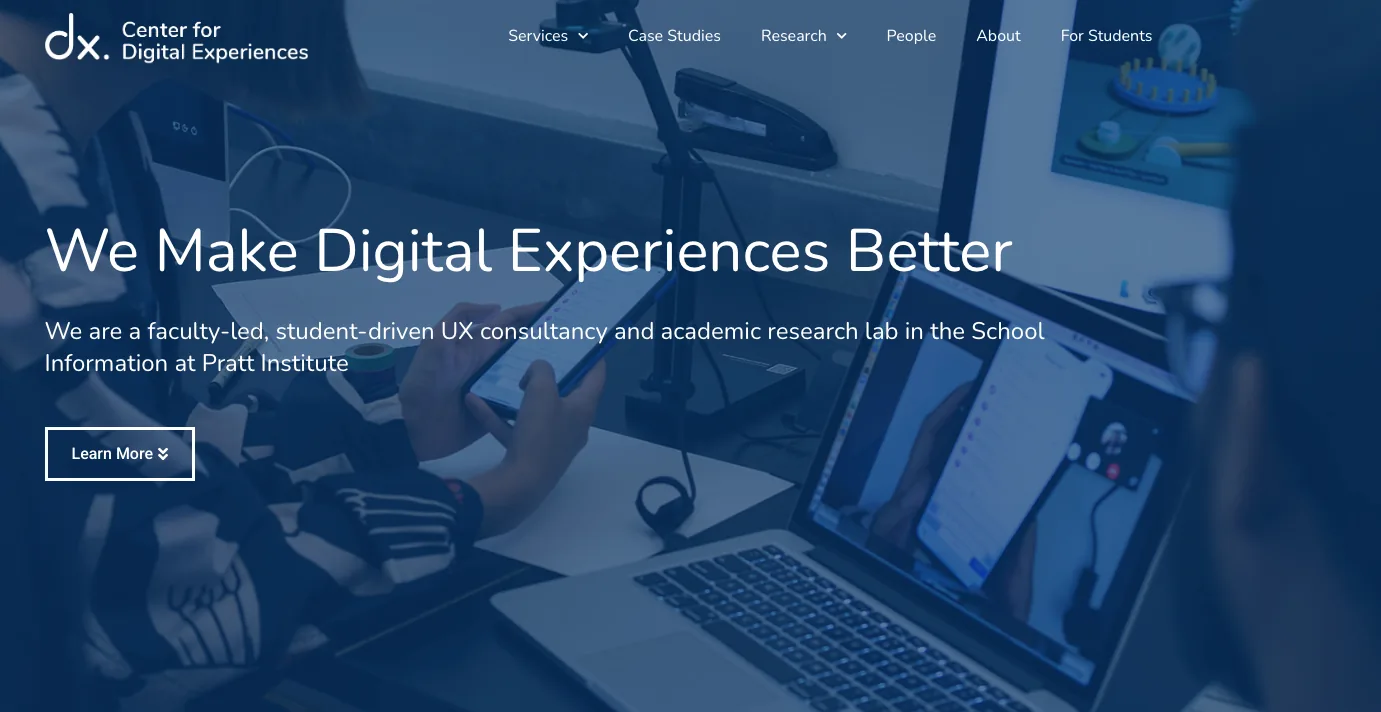
The DX Center approached our team with two broad goals:
Increase the volume and quality of client applications
Improve efficiency of internal DX Center workflows
Research & Synthesis
Structured interviews with all stakeholders and a thorough collection of touchpoint artifacts.
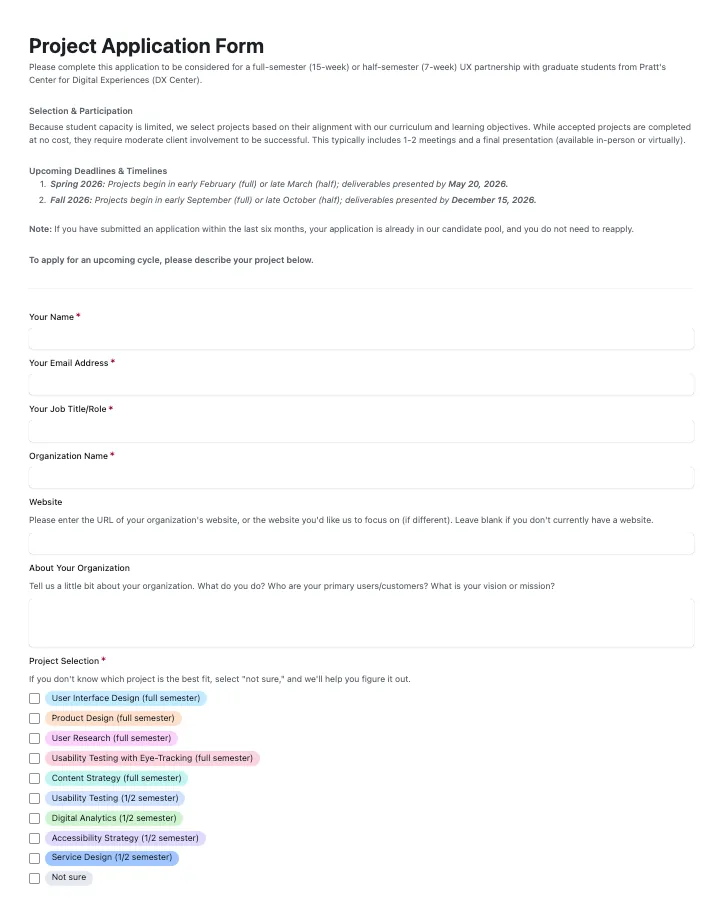
To fully understand the end-to-end service (current recruitment strategies, internal processes, outcomes, etc), and actors’ experiences within the service, we ran structured interviews with the DX Center Leads and a representative set of professors who run the project-driven courses. We also compiled all external and internal-facing materials to understand communication and tools in use at different touchpoints of the service.
Synthesis
Mapping the current service to identify bottlenecks and opportunities
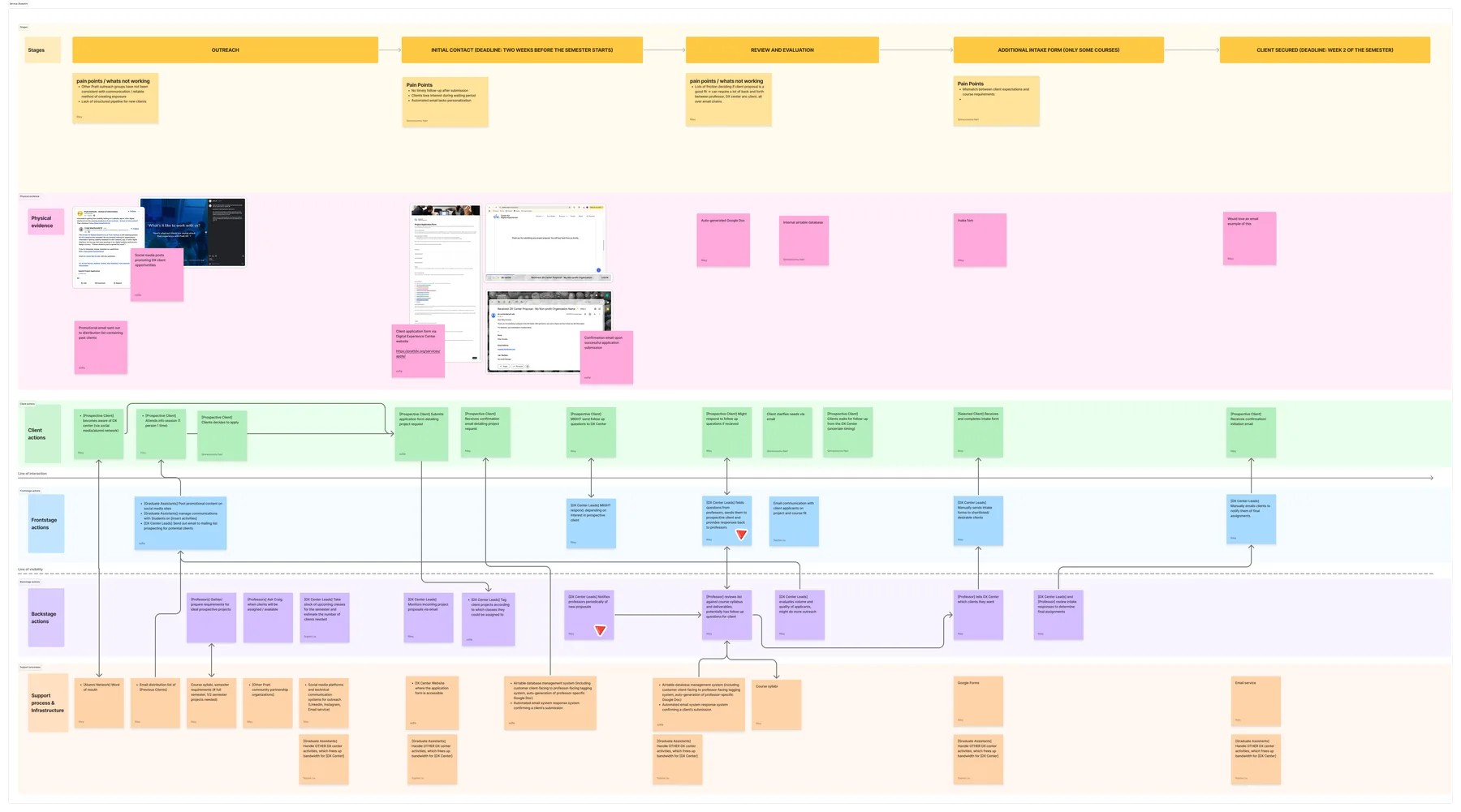
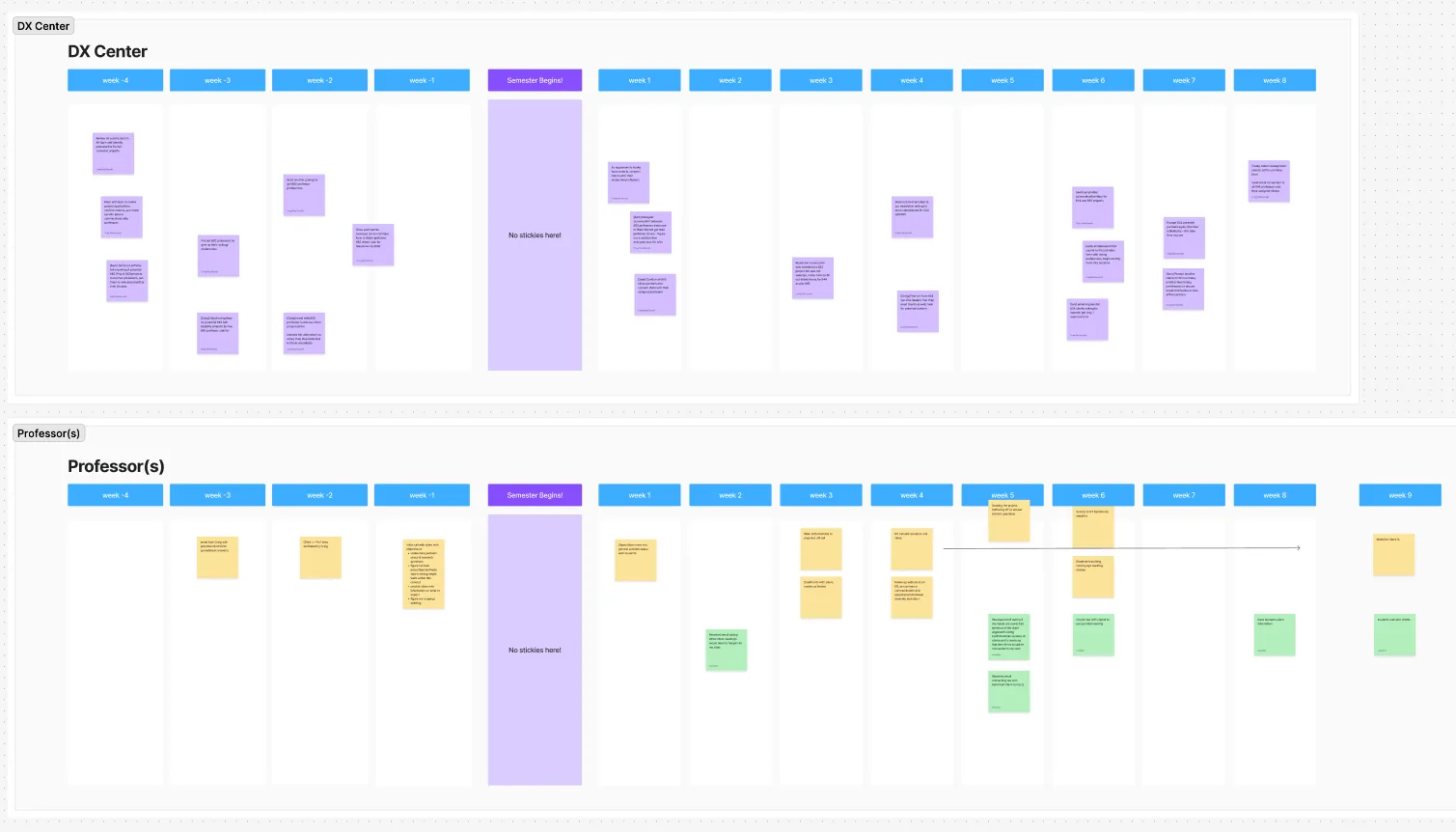
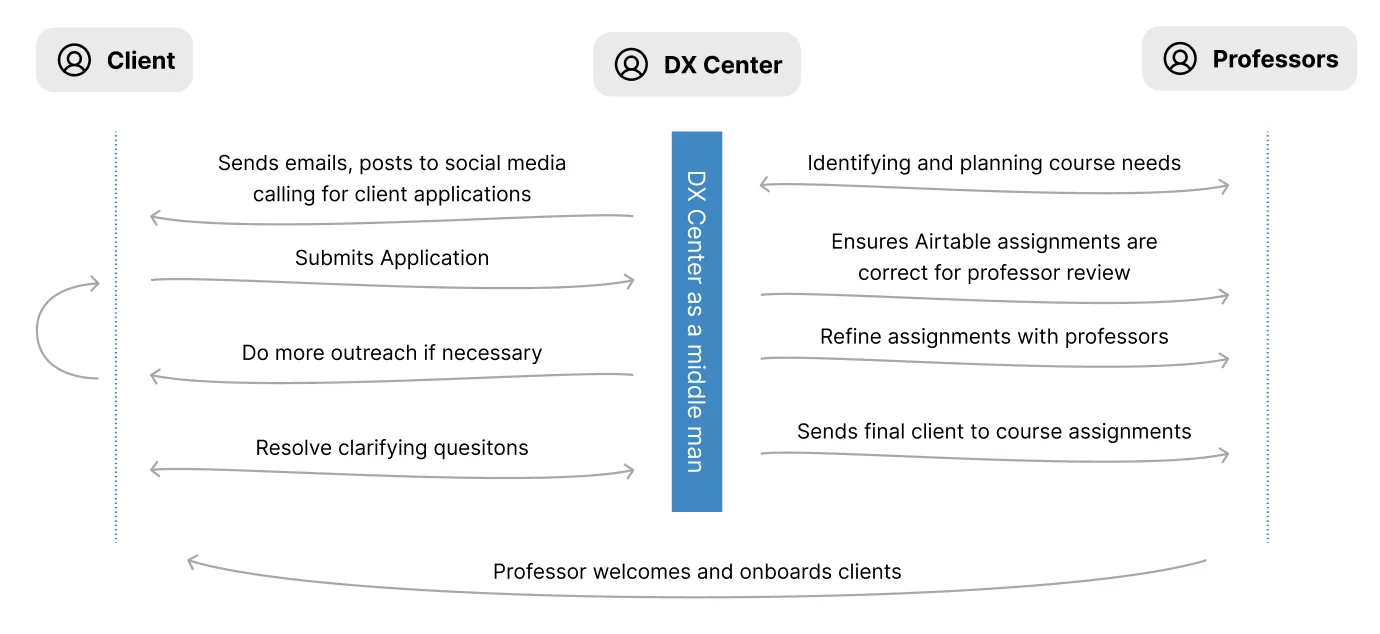
I then synthesized these findings into a service blueprint so we could visualize and evaluate the service as whole. At a high level, the process works like this:
- Craig begins recruitment for the upcoming semester ~1 month out from project start date.
- Client project proposals are made via a Google form, which autopopulates in an Airtable with potential course mappings
- Craig manually reviews Airtable and adjusts assignments based on course requirements, professor feedback and clients’ clarifying information.
- Craig finalizes assignments and notifies professors so they can make the initial contact.
Key Findings
When Craig did it all, communication broke down and left professors and potential clients in the dark.
Every task ran through one person — personalized communication, manual notifications, hands-on coordination of everything.
Craig manually sent email blasts to previous clients, handled all communication with ad-hoc personalized responses (because it had proven to produce better conversion outcomes), reviewed initial client-to-course auto-matching in the Airtable database and coordinated all manual review and finalization of assignments with professors.
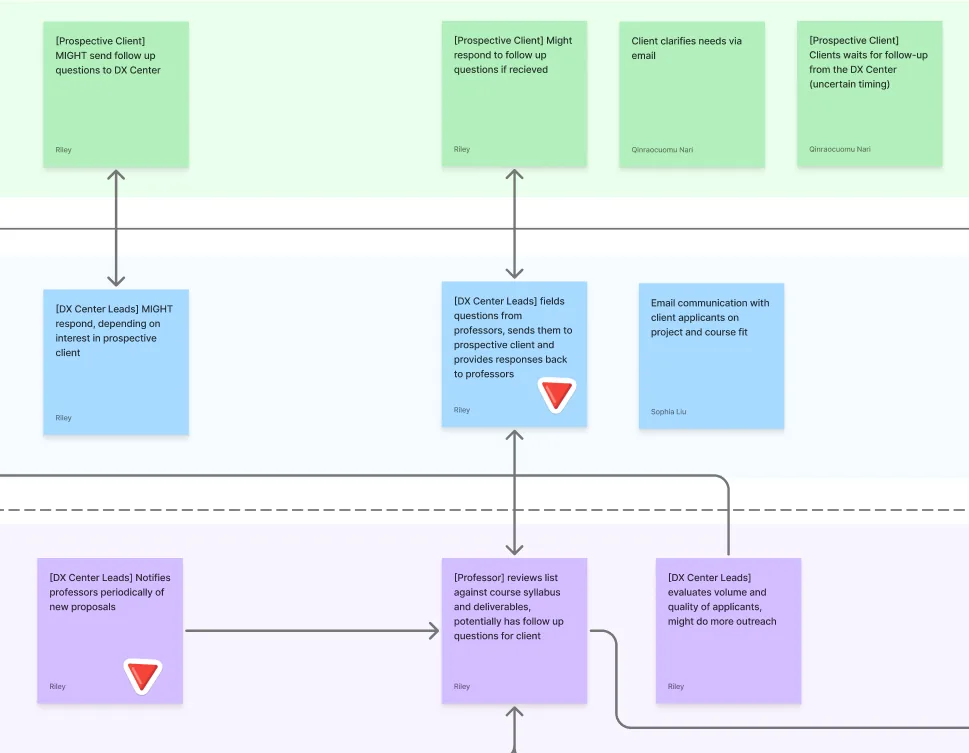
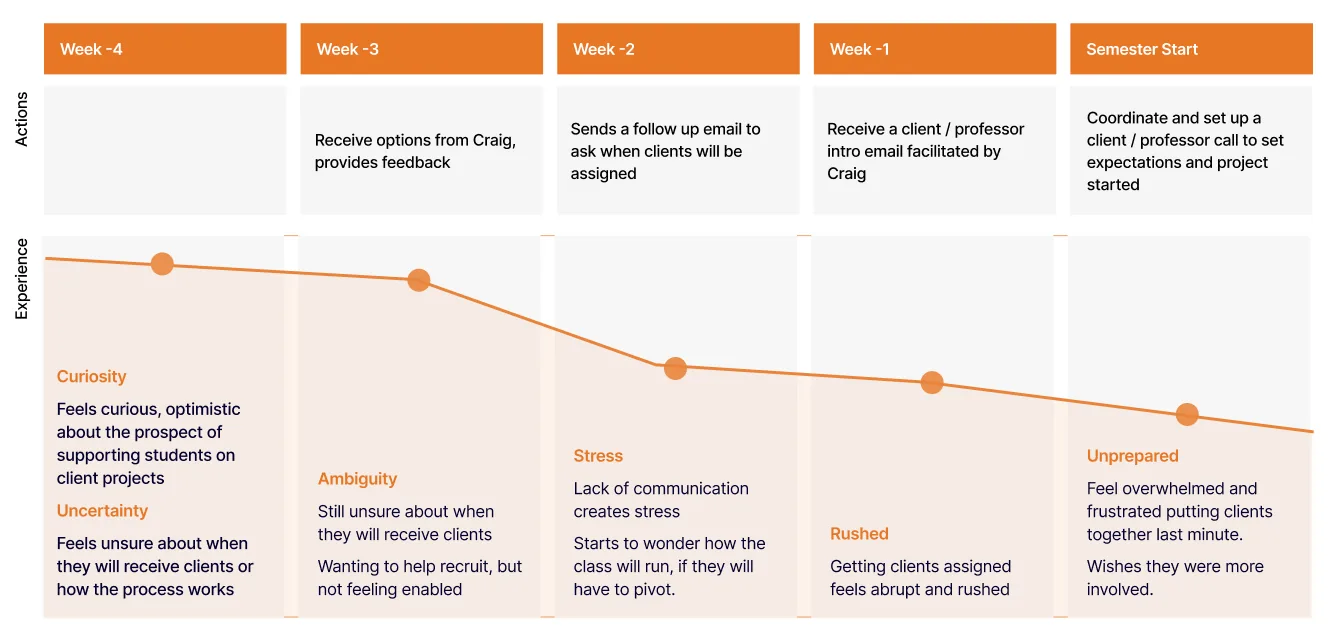
Professors got stuck in a waiting cycle, creating stress and weakening confidence they’d get clients on-time.
Professors had some correspondence with Craig mid-match process, but could go a week or two with silence as client project start dates quickly approached. Lack of communication made professors feel anxious they’d have to pivot their course structure at the last minute or rapidly onboard a set of ill-matched clients right at the deadline.
Promising clients were getting left in the dark
Every recruitment cycle is different, and sometimes there are more clients than the program can place. Craig doesn’t have the capacity to respond to everyone, so clients who weren’t a fit this time, but could have been next time, never heard back. This is a service design failure: there should be no dead ends, every actor should get a clear explanation for decisions, and human assistance should always be within reach.
Co-design
Craig and professors had a clear mismatch in communication expectations — I saw co-design as an opportunity to build mutual empathy between actors in addition to co-creating design interventions.
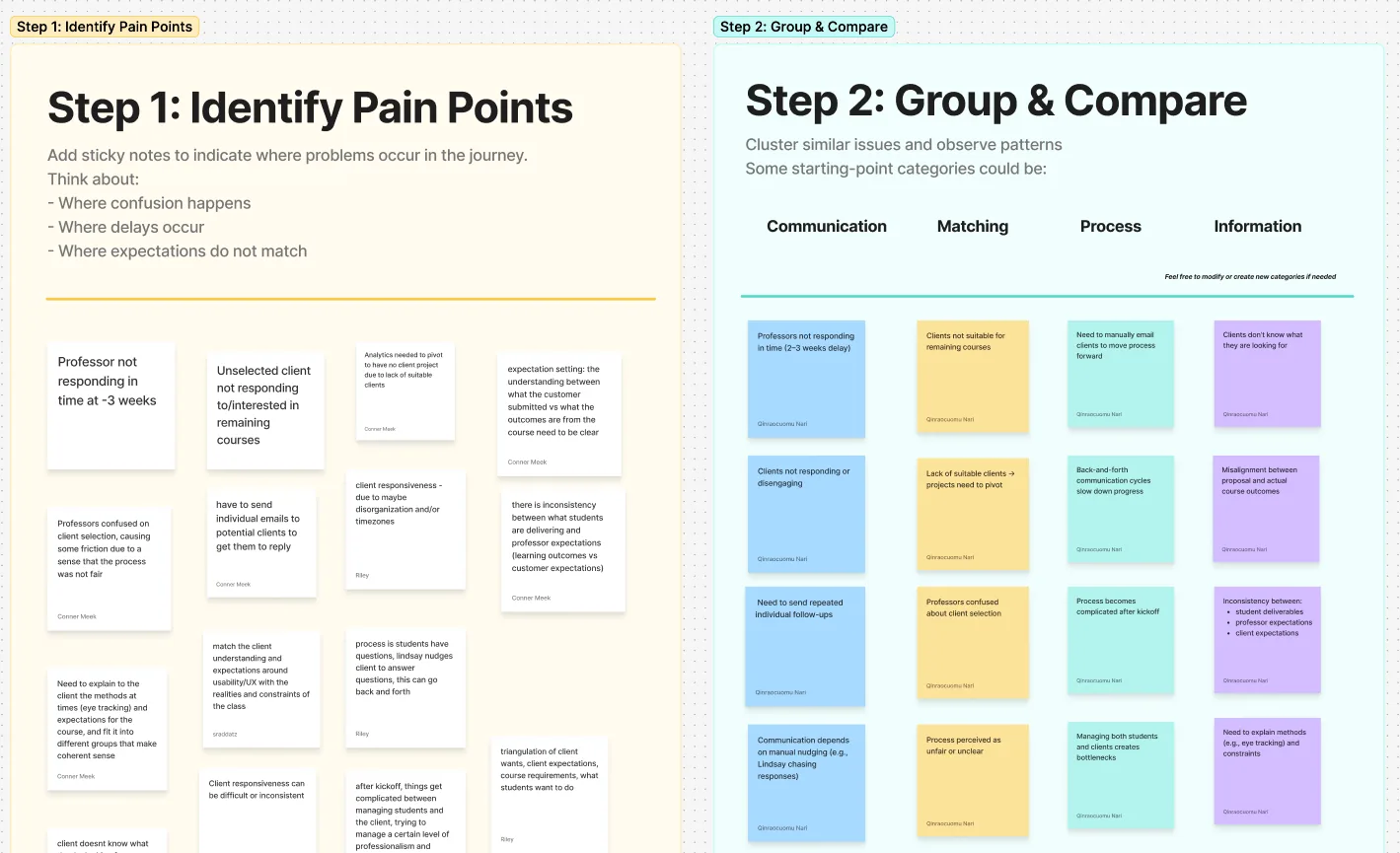
In the first stage of the workshop, we had Craig and the professors each map their own personal journey following the last recruitment cycle and share what they created to build empathy and shared understanding.
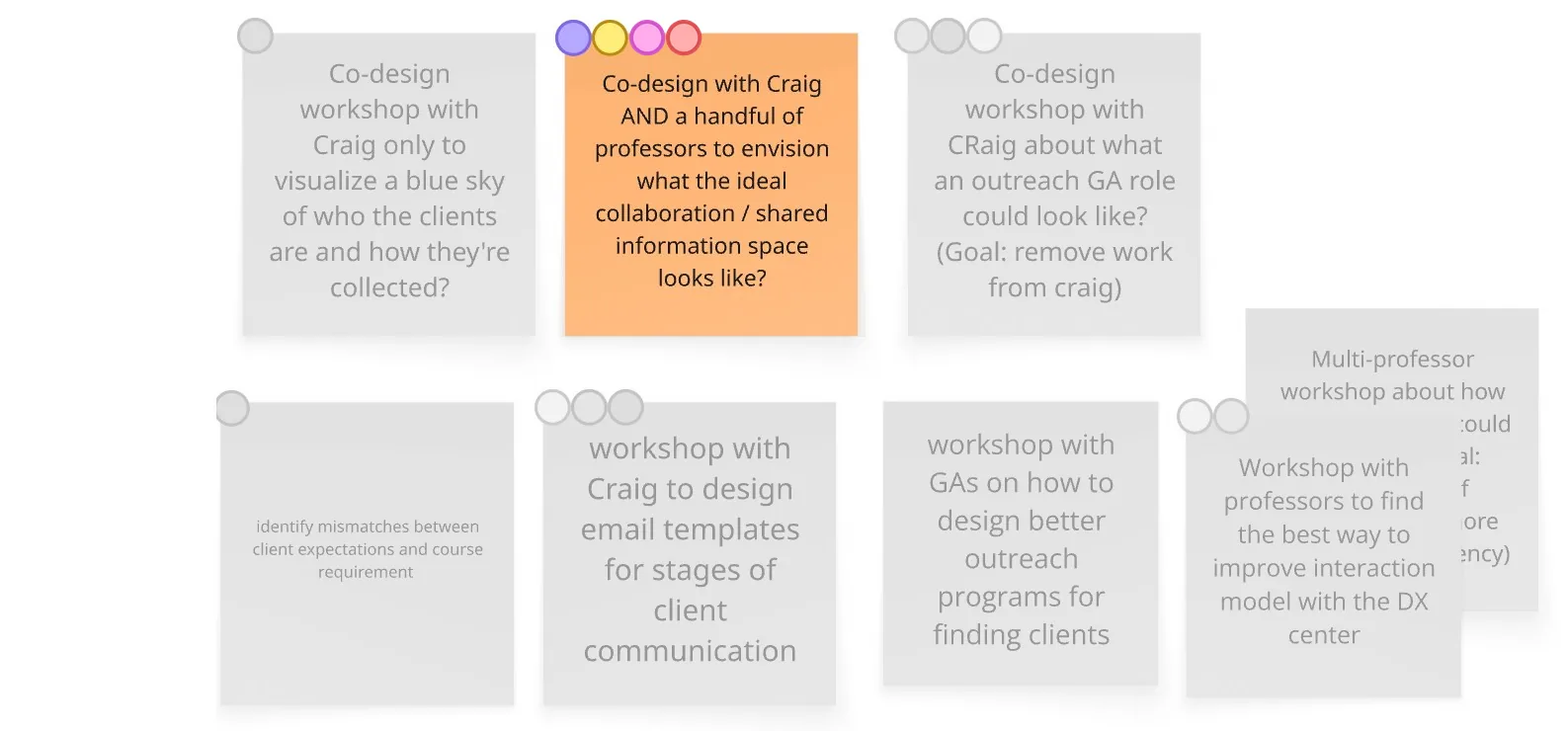
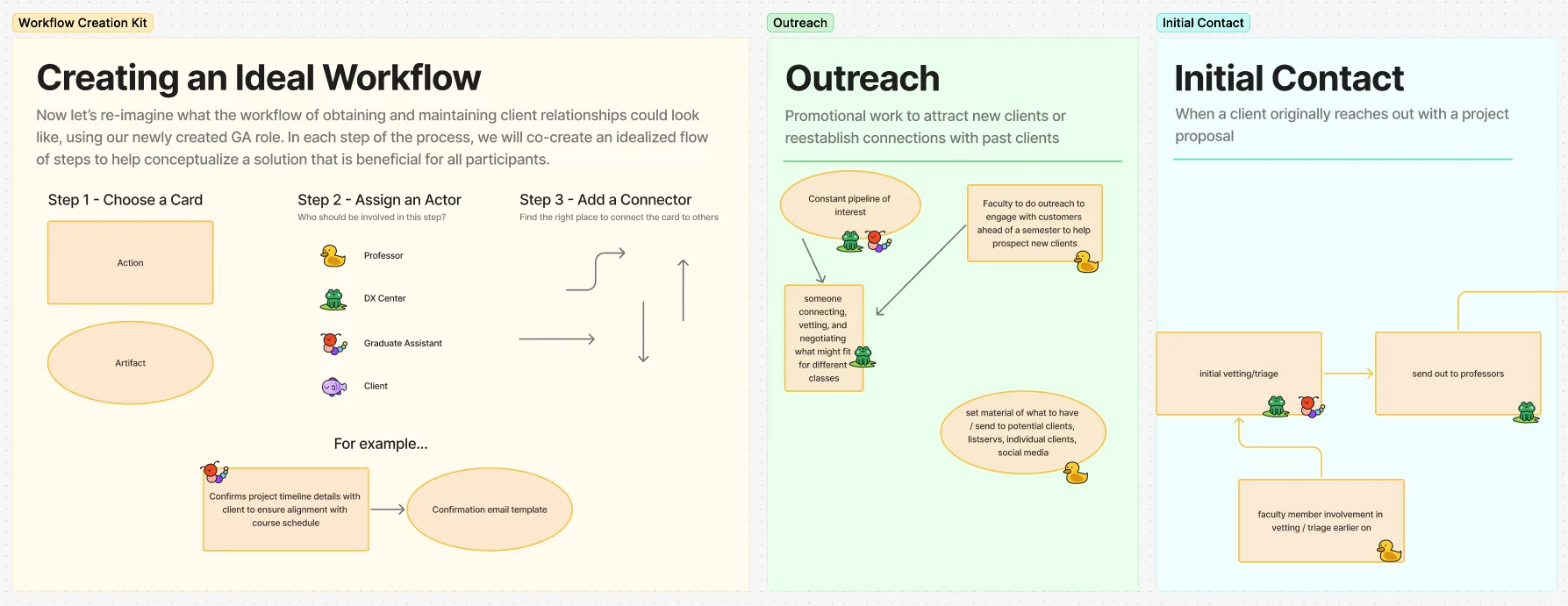
We then guided them through prioritized pain-point identification and the co-creation of the “ideal workflow.”
Key Insights
Professors wanted more involvement in the recruitment process
In the co-creation activity, professors mapped what their ideal involvement in recruitment could look like — what they’d want to own, where they’d want the DX Center to step in, and what artifacts would help them feel confident doing it. The specifics they surfaced became the seed for the Faculty Onboarding Kit (intervention 2 below) — every piece of the kit traces back to something a professor said they’d need.
Prospective clients struggle to identify which project type they’re best suited for
Both professors and Craig kept returning to the same gap: prospective clients often don’t understand the different project types being offered. For both professors and Craig, the priority is always protecting the students’ ability to execute the learning outcomes and the specific deliverables a course is built around. When a client can’t accurately identify the type of work they need most, or what they’ll actually “get” at the end, the “messy middle” of matching them to the right course drags on far longer than it should.
Proposed Interventions
Three interventions: a dedicated GA, faculty as recruiters, and a plain-language intake form.
Intervention 1
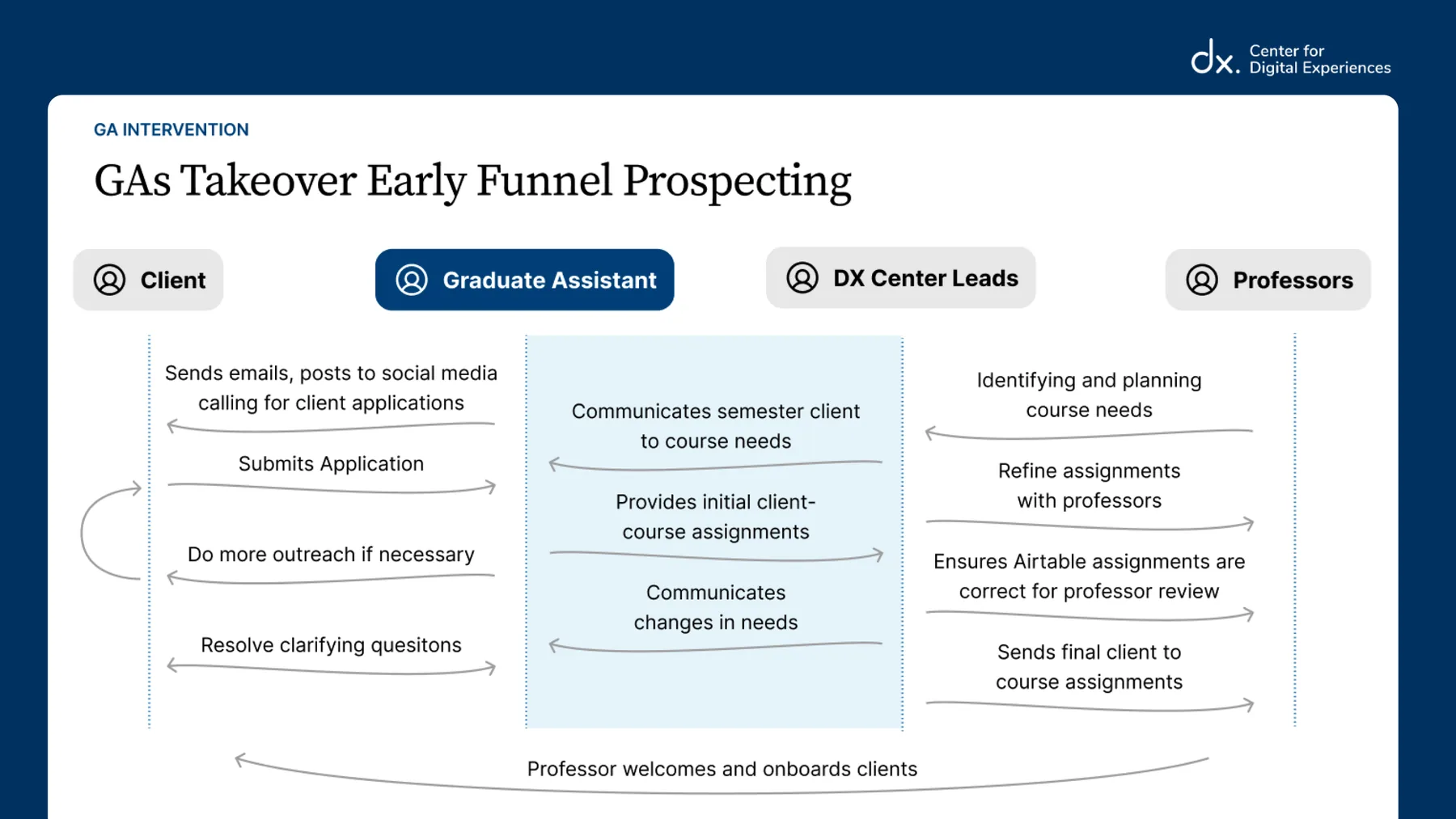
A Graduate Assistant role dedicated to early-stage recruitment and preliminary matching, so Craig can handle the sticky stuff.
To release pressure on the DX Center Leads, I proposed a Graduate Assistant (GA) role dedicated entirely to early-stage client recruitment and ownership of the DX Center–client relationship. The GA would take over all DX Center recruitment, early client communications, and preliminary matching. GAs are students in Pratt’s IXD program themselves, so they have sufficient knowledge to make judgments on initial matching.
Craig keeps the work that genuinely requires his judgment: defining course needs and handling the unique assignment problems that templates can’t solve.
I scoped the role intentionally to look like a job a graduate student would want and learn from: roughly 60% client account management, 40% process and content ownership. That split also opens up a design opportunity for the student — designing the recruitment processes and measuring their impact.
Intervention 2
Faculty onboarding kit
Both the blueprint and the workshop highlighted how absent professors felt in the early recruitment stages. For some that was fine; for others it created anxiety. A unanimously approved idea from the workshop was to optionally invite professors into recruitment and give them the right tools to do it confidently. The kit would include:
Expectation-setting content: Explain the purpose of project-driven courses, the working model of students’ client projects, the professors’ role, and the recruitment timeline.
Tools to recruit: Provide email templates and marketing materials for professors who optionally want to recruit for their course, a guide to what makes an acceptable client (must be a non-profit, etc.), and the outlined process and constraints for getting DX Center approval.
The kit shifts the professor’s role from passive recipient to informed collaborator and potential recruiter. The redesigned journey flips the emotional arc: professors move from Curiosity → Clarity → Awareness → Confidence → Excitement, and arrive at semester start Prepared.
Enabling professors to recruit for their courses additionally creates another channel for high-quality client recruitment. Clients will be high-quality because professors are the experts on their courses’ needs, and more professors recruiting minimizes the pressure on the DX Center to recruit all clients itself.
Intervention 3
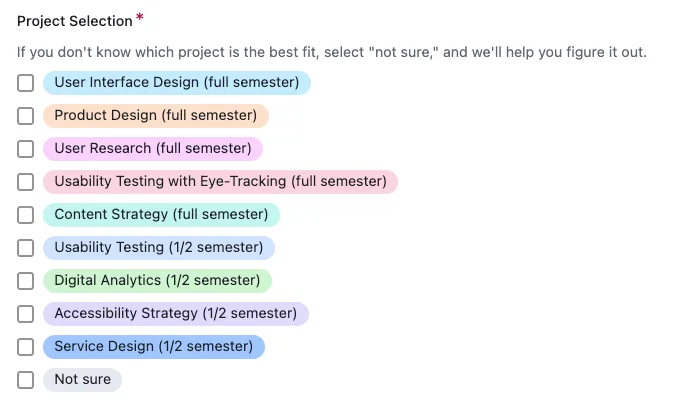
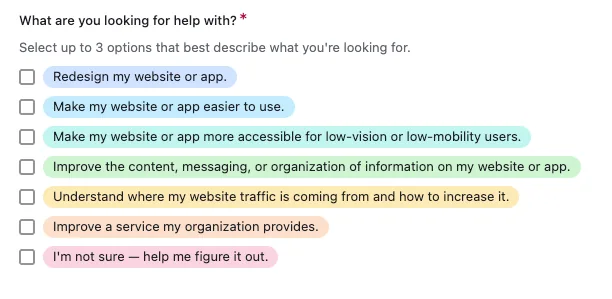
A new intake form that shows plain-language deliverables instead of jargon-heavy course topics.
Without jargon as an obstacle, prospective clients can better self-identify their own needs and have more accurate expectations of the project outcomes.
This should create stronger initial course assignments, reducing the “messy middle” untangling. It also elevates visibility to, and protects execution toward, student learning outcomes — which both Craig and the professors named as their shared top priority for every semester.
Impact
“I’ve never really thought about the professors’ experiences before. Just going through the interview and the workshop alone really changed that, and I think it can be better.”
— Craig
Reflection
The work created impact before anything was implemented.
The most striking outcome wasn’t a single intervention — it was the workshop itself. Getting Craig and the professors in one room to map and share their experiences already shifted how each side understood the other, before a single change was made.
Automation isn’t always the answer.
Craig’s tailored, personal communication was converting better than any template would, and because of the size of the program and its course offerings, the scale was manageable — the DX Center supports a fixed set of courses and a steady volume of requests, and the program isn’t expanding. The answer wasn’t to replace the human touch with tooling, but to give a dedicated GA the capacity to keep responses tailored while building the templates that make that sustainable. With a fixed budget already allocated to Graduate Assistants and none set aside for AI, that was also the most accessible way to keep communication personal.